Manage alerts
After you have created one or more policies, you can track P3 alerts on the dashboard while Macrometa works to resolve issues.
View Alerts
Perform these steps to view unacknowledged P3 alerts:
- Log in to your PhotonIQ Performance Proxy dashboard.
- Click Alerts & Audits.
- (Optional) In the Alerts table, click ACK to acknowledge the alert. This removes it from the default alert view.
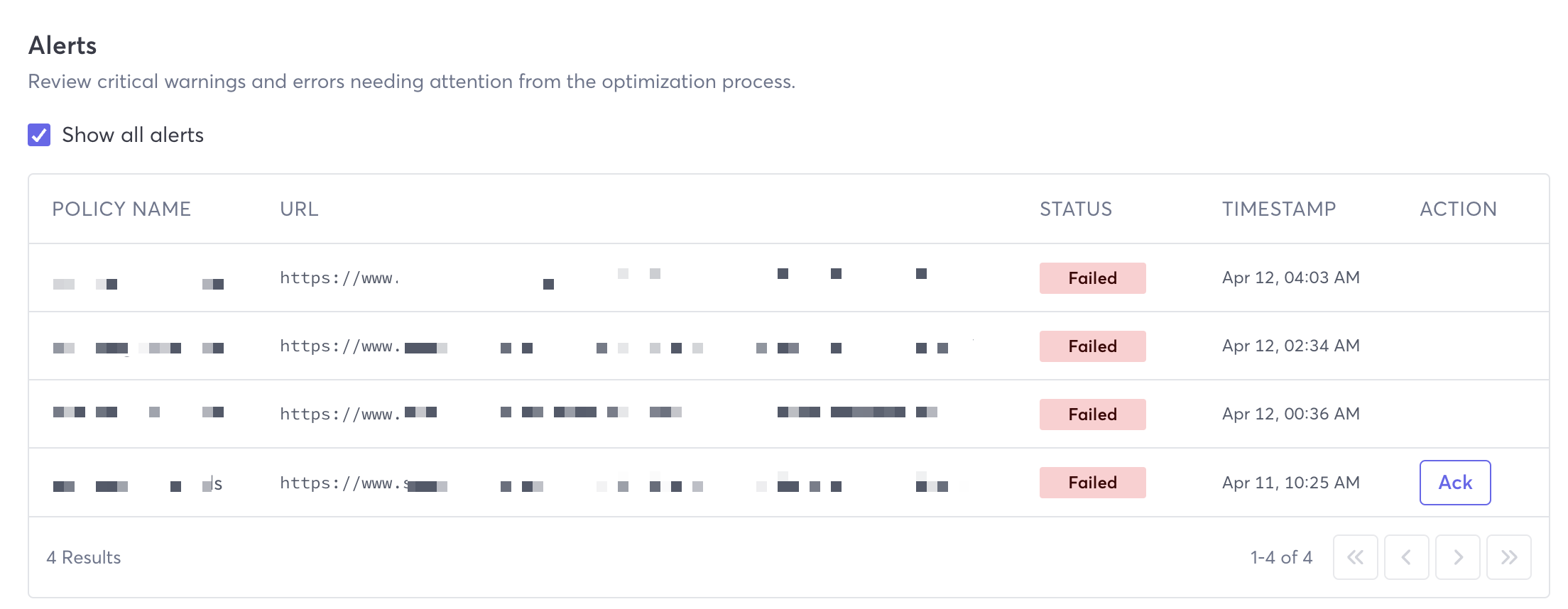
Alert Fields
The following fields list information about the alert:
- Show all alerts - To view all alerts, even those already acknowledged, select this checkbox.
- Policy Name - The name of the policy that the warning or error is associated with.
- URL - The URL that the warning or error applies to.
- Status - Current status. Possible statuses are: Failed
- Timestamp - The time when the warning or error was logged.
- Action - Possible actions for you to take. You can click ACK to acknowledge the warning or error.